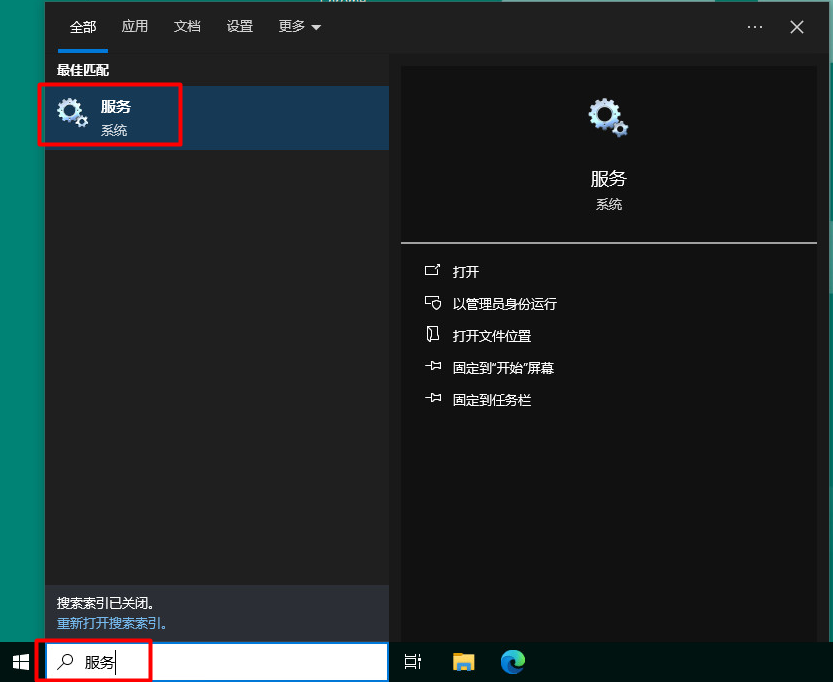
1、在桌面上 搜索 “服务”。
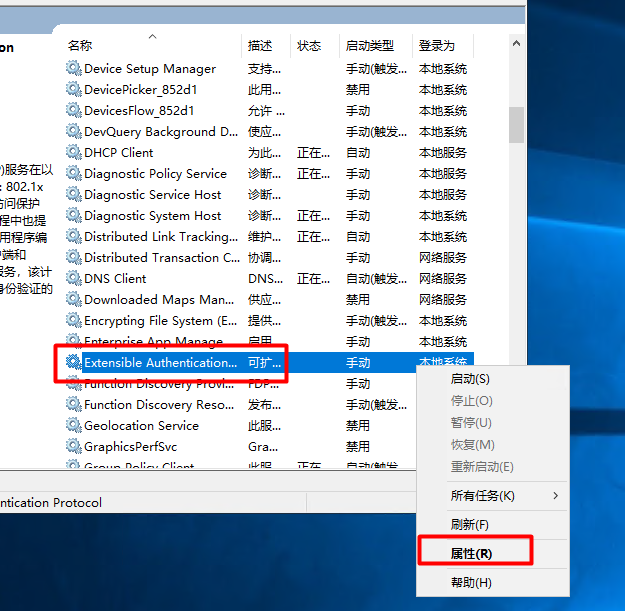
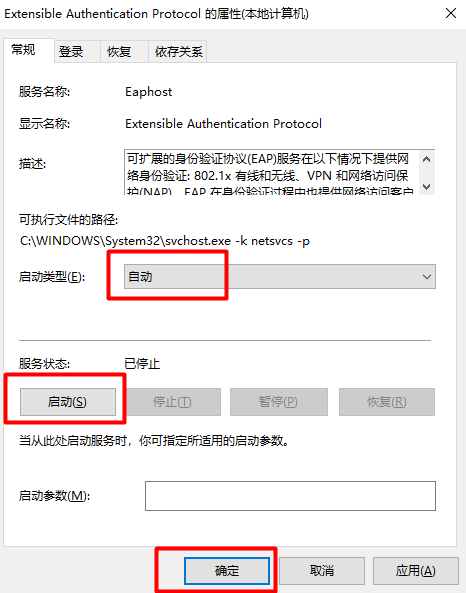
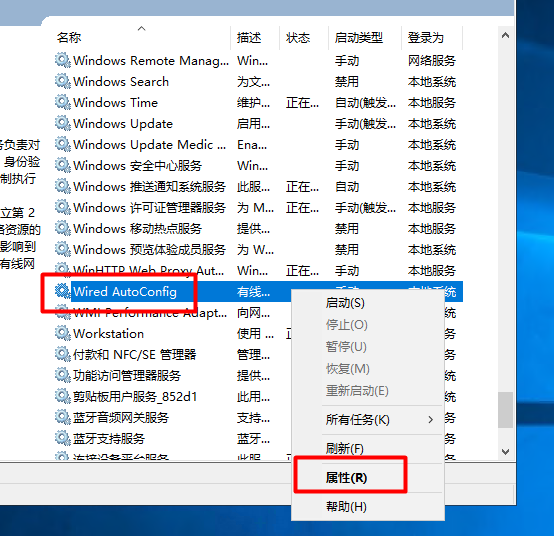
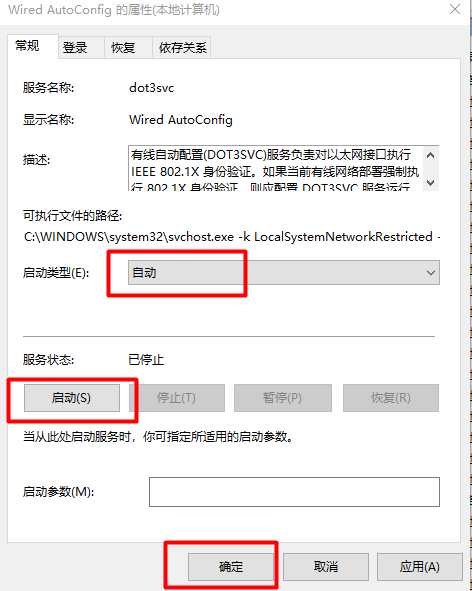
启动两个服务“Extensible Authentication Protocol”和“Wired AutoConfig”,服务的“启动类型”为“自动”。
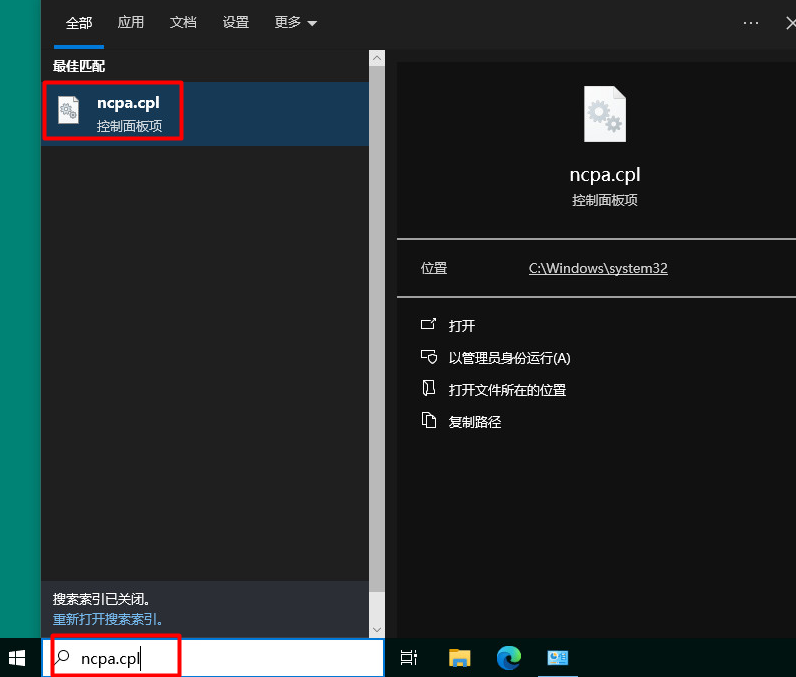
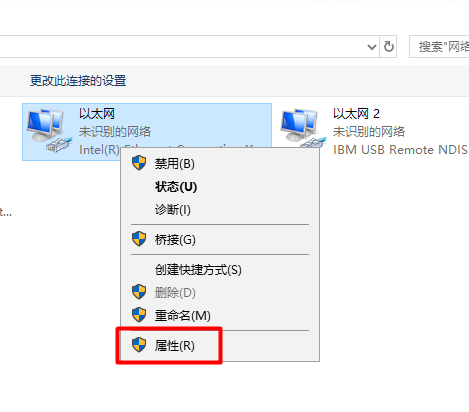
2、在桌面上 搜索 “ncpa.cpl”,打开“以太网”窗口,选择“属性”。
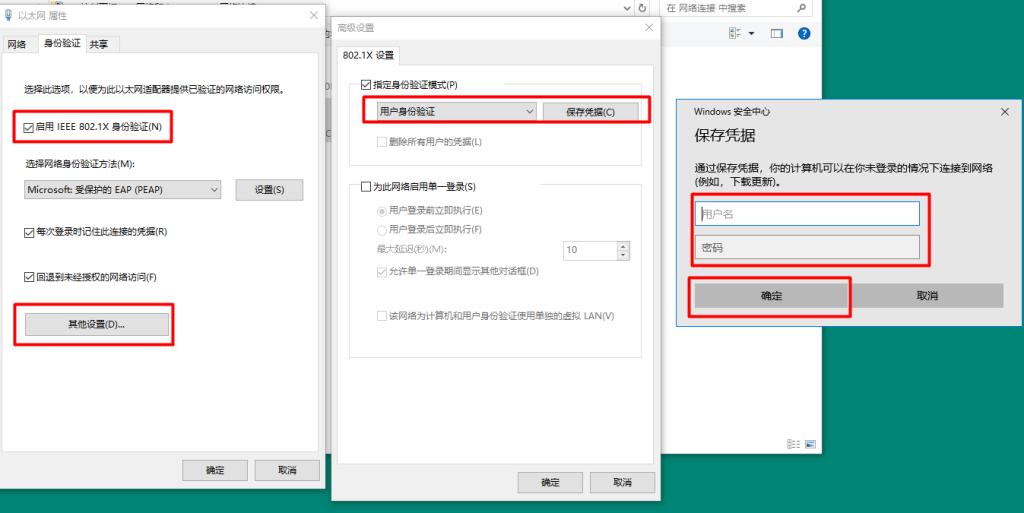
在“身份验证”页签,勾选“启用IEEE 802.1X身份验证”,设置“指定身份验证模式”为“用户身份验证”。默认用户名和密码都是名字拼音。
1、在桌面上 搜索 “服务”。
启动两个服务“Extensible Authentication Protocol”和“Wired AutoConfig”,服务的“启动类型”为“自动”。
2、在桌面上 搜索 “ncpa.cpl”,打开“以太网”窗口,选择“属性”。
在“身份验证”页签,勾选“启用IEEE 802.1X身份验证”,设置“指定身份验证模式”为“用户身份验证”。默认用户名和密码都是名字拼音。